Removing user certificate in browser
What you need to know
To work on the internal university portal (HIP), you need a user certificate so that you can sign applications and documents in HIP using a digital signature.
As of January 2026, user certificates issued by GÈANT Sectigo will no longer be accepted in HIP. For this reason, you must remove the user certificate from your browser and apply for a new certificate from HARICA and import it into your browser or install it in Windows. Instructions on how to apply for a new certificate can be found in the Internal link opens in the same window:Apply for a user certificate for email and HIP helpcard (MYCERT 10-010).
What you have to do
Please select the browser from which you want to remove the certificate:
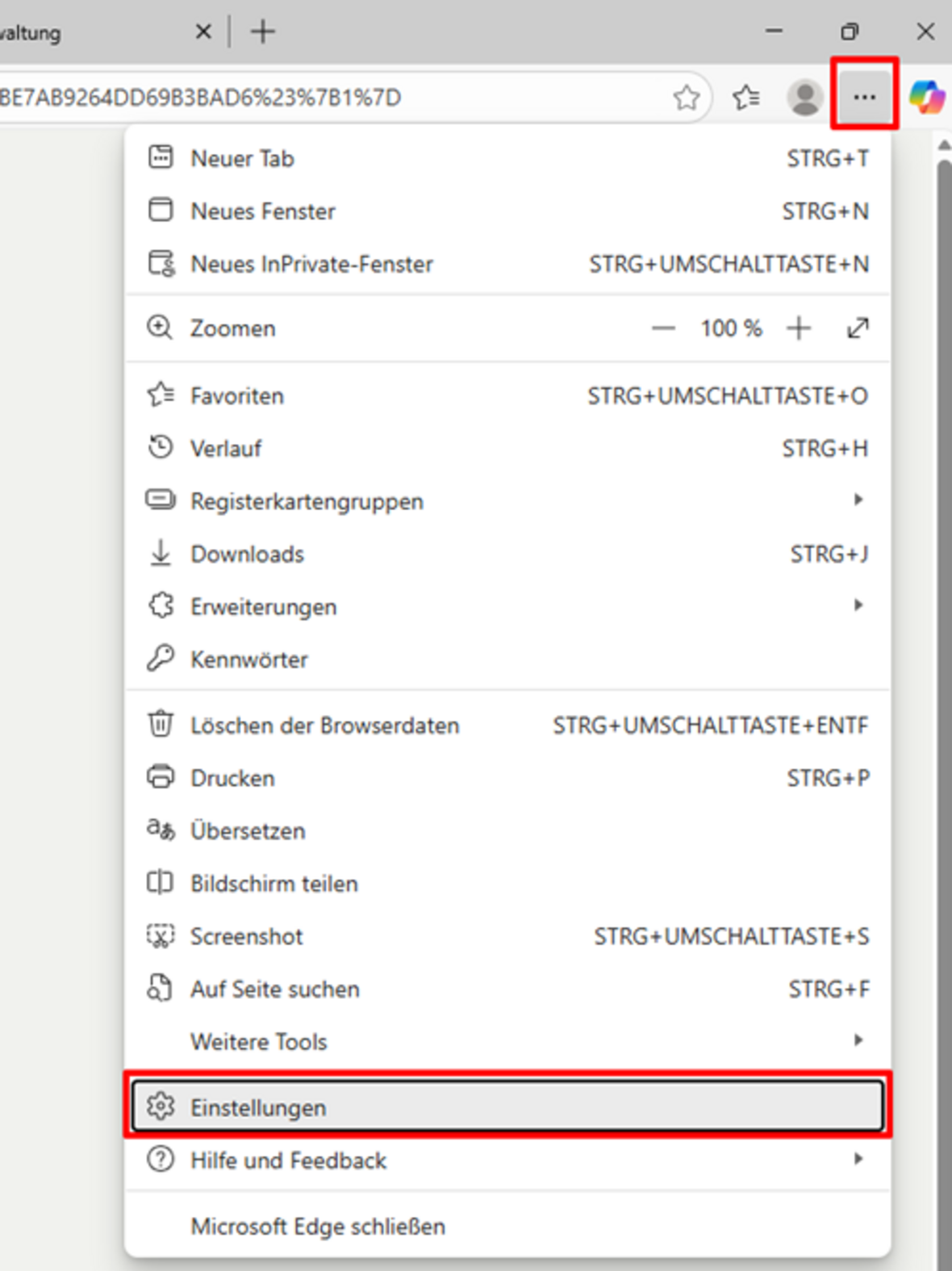
Microsoft EdgeMozilla FirefoxStart Edge and select “Open menu” – “Settings” in the top right corner (see Figure 1.1).
- 1.1
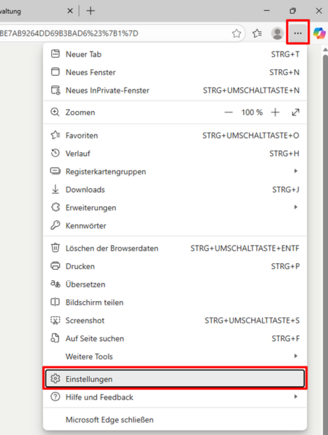 Click on the browser menu
Select "Settings"
- 1.2
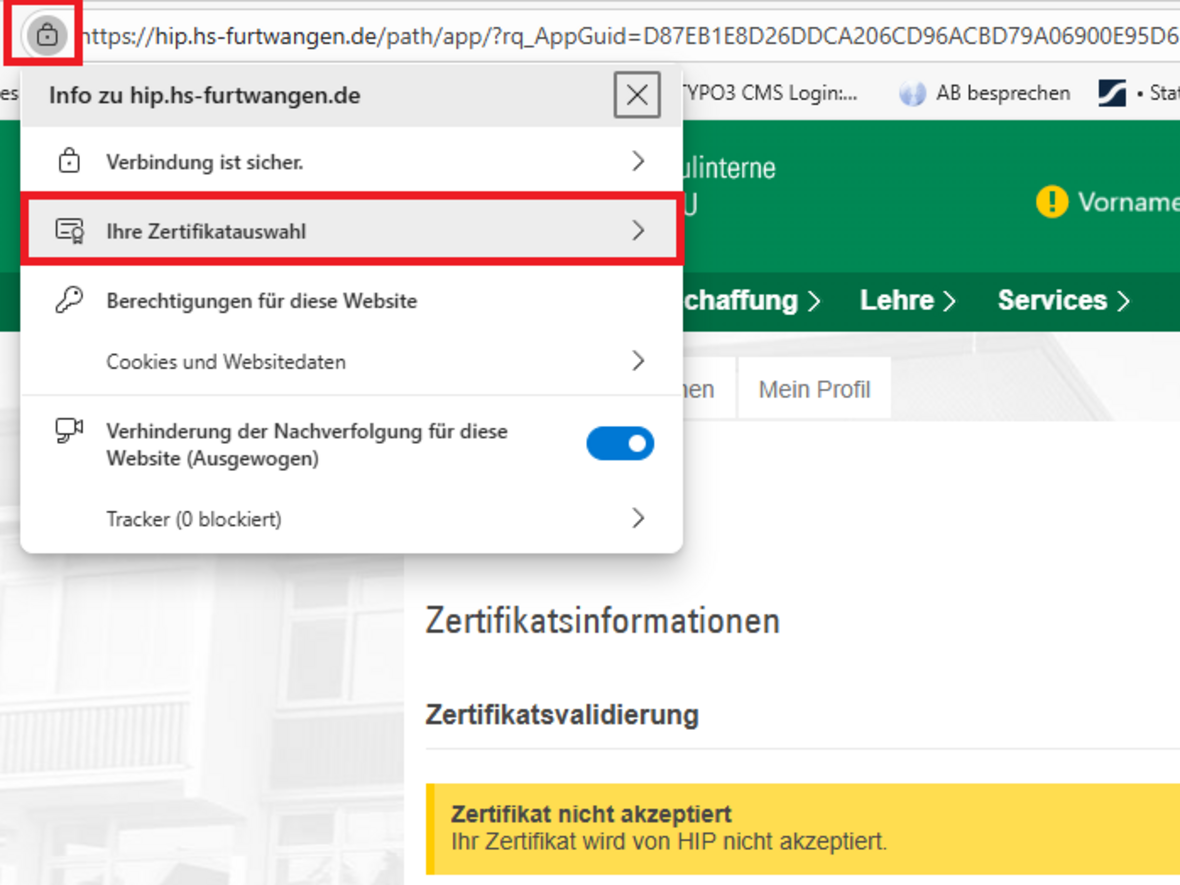
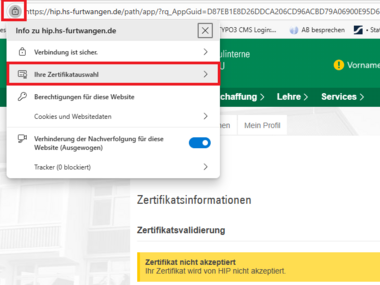 Your certificate options
Click on the lock icon and select your certificate.
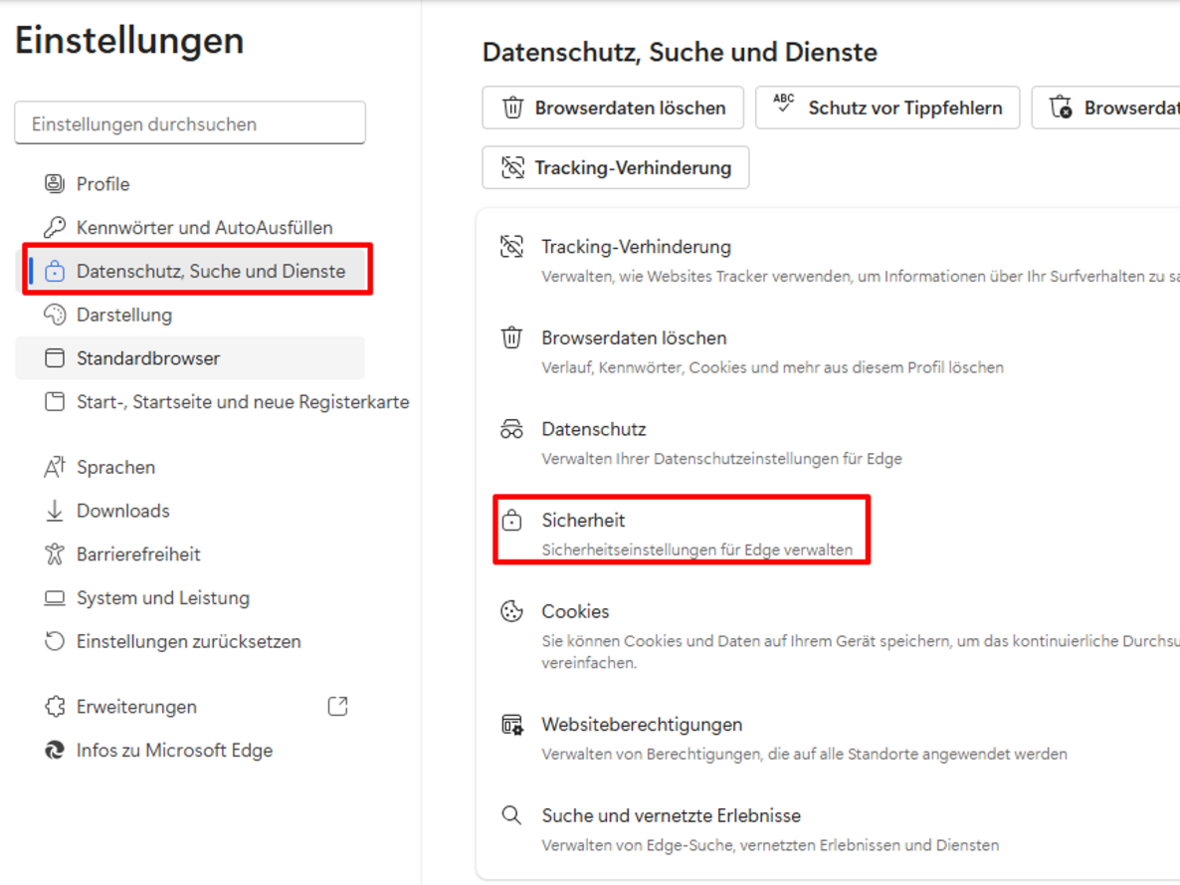
In the settings in the left-hand menu, select the option “Privacy, search, and services” and then click on “Security” in the right-hand pane (see Figure 2.1).
- 2.1
 Select “Privacy, Search, and Services.”
and “Security.”
Select the “Manage Certificates” option (see Figure 3.1).
- 3.1
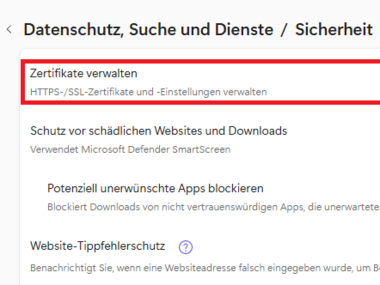
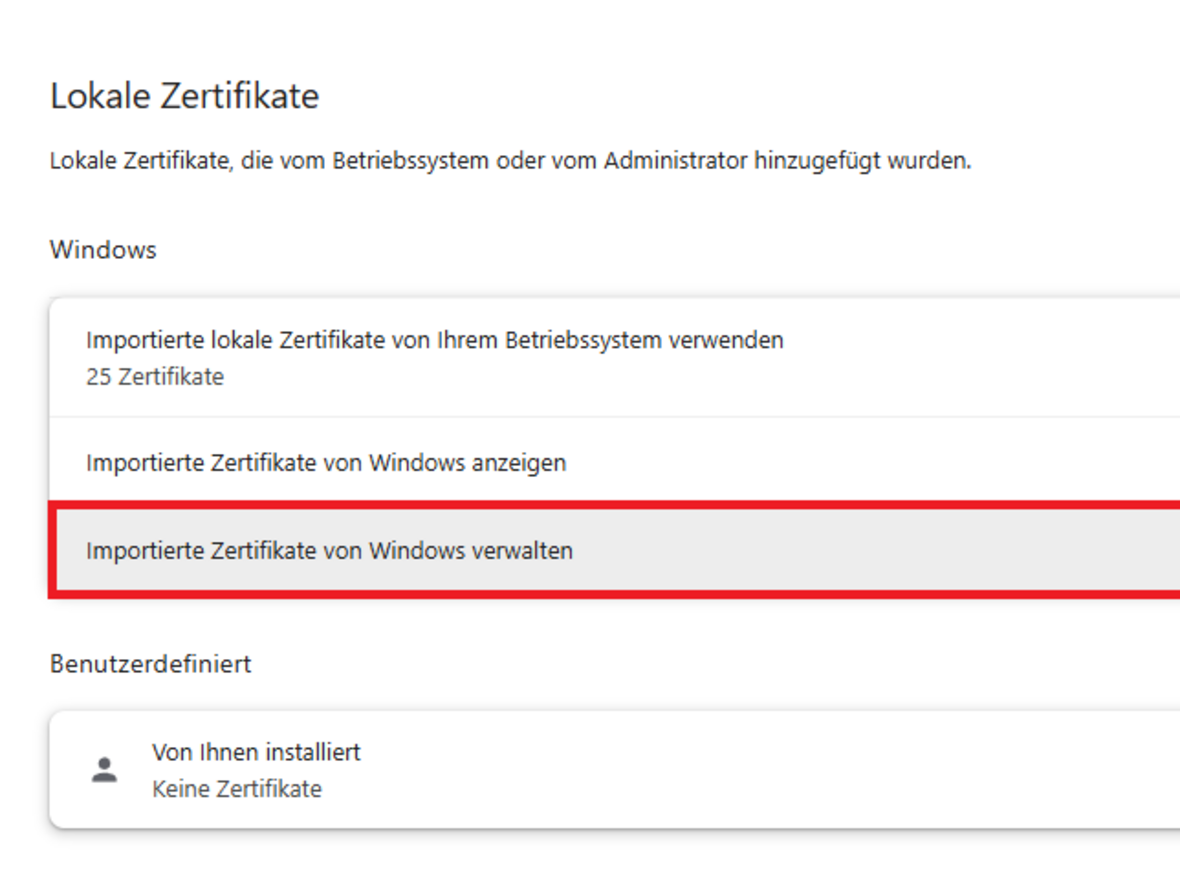
Under “Your Certificates” or “Local Certificates” select the option “Manage imported certificates from Windows” (see Figure 4.1).
- 4.1
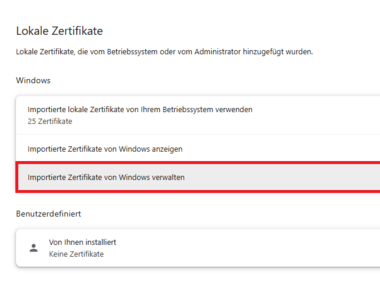 Manage imported certificates from Windows
Select “Manage imported certificates from Windows.”
- 4.2
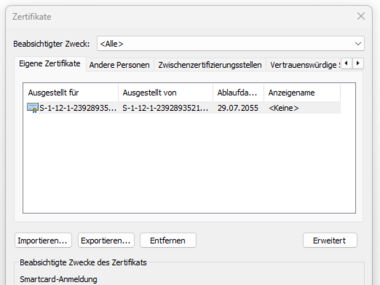 Certificate
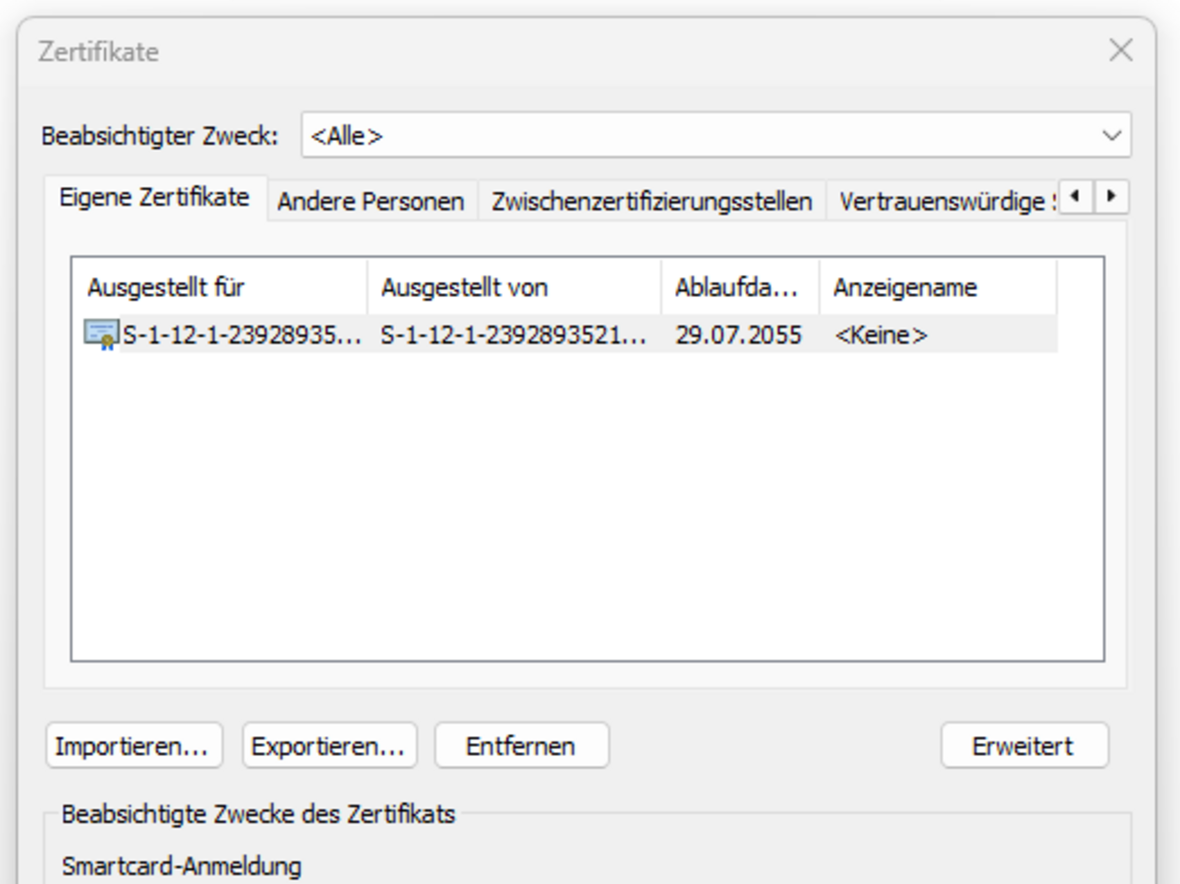
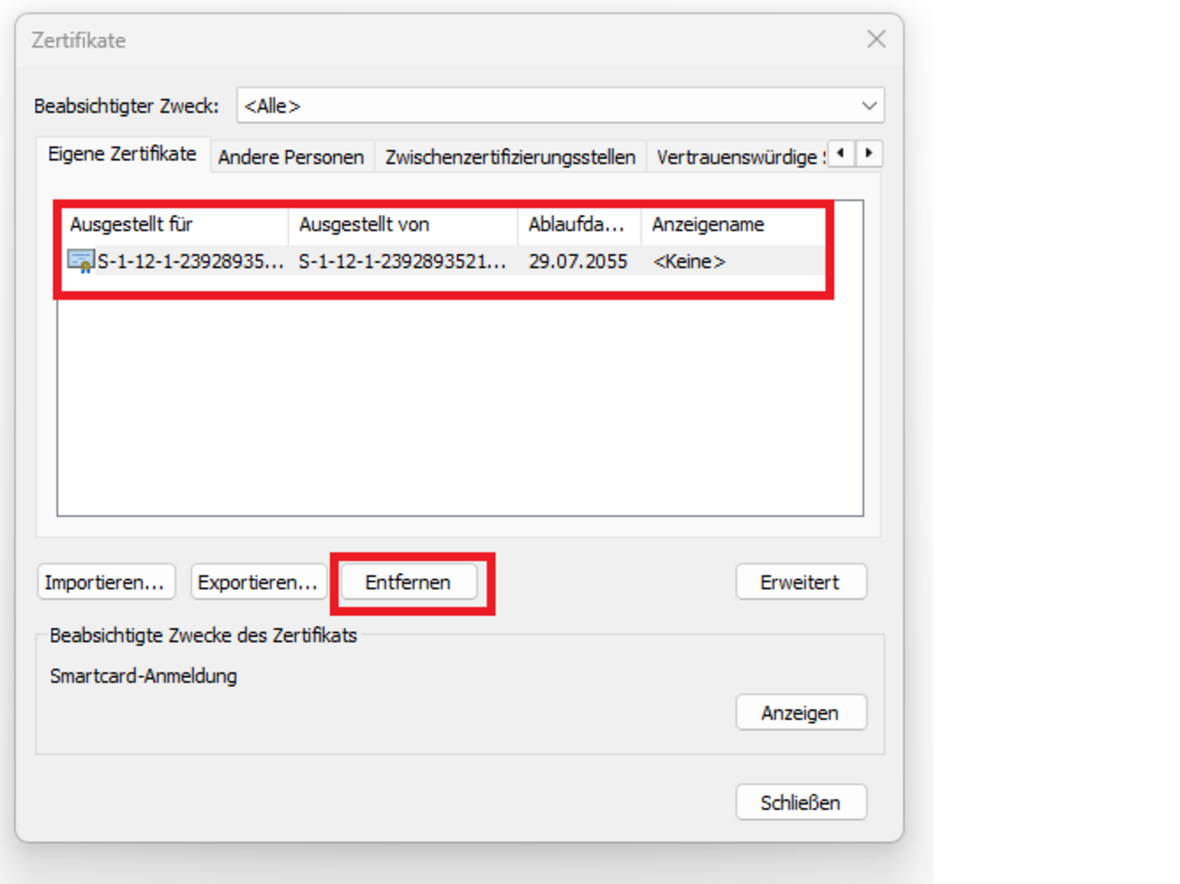
The installed certificate is displayed.
Click on the certificate and the “Remove” button.
- 5.1
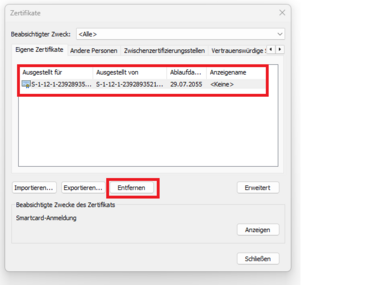 Remove certificate
Click on the “Remove” button.
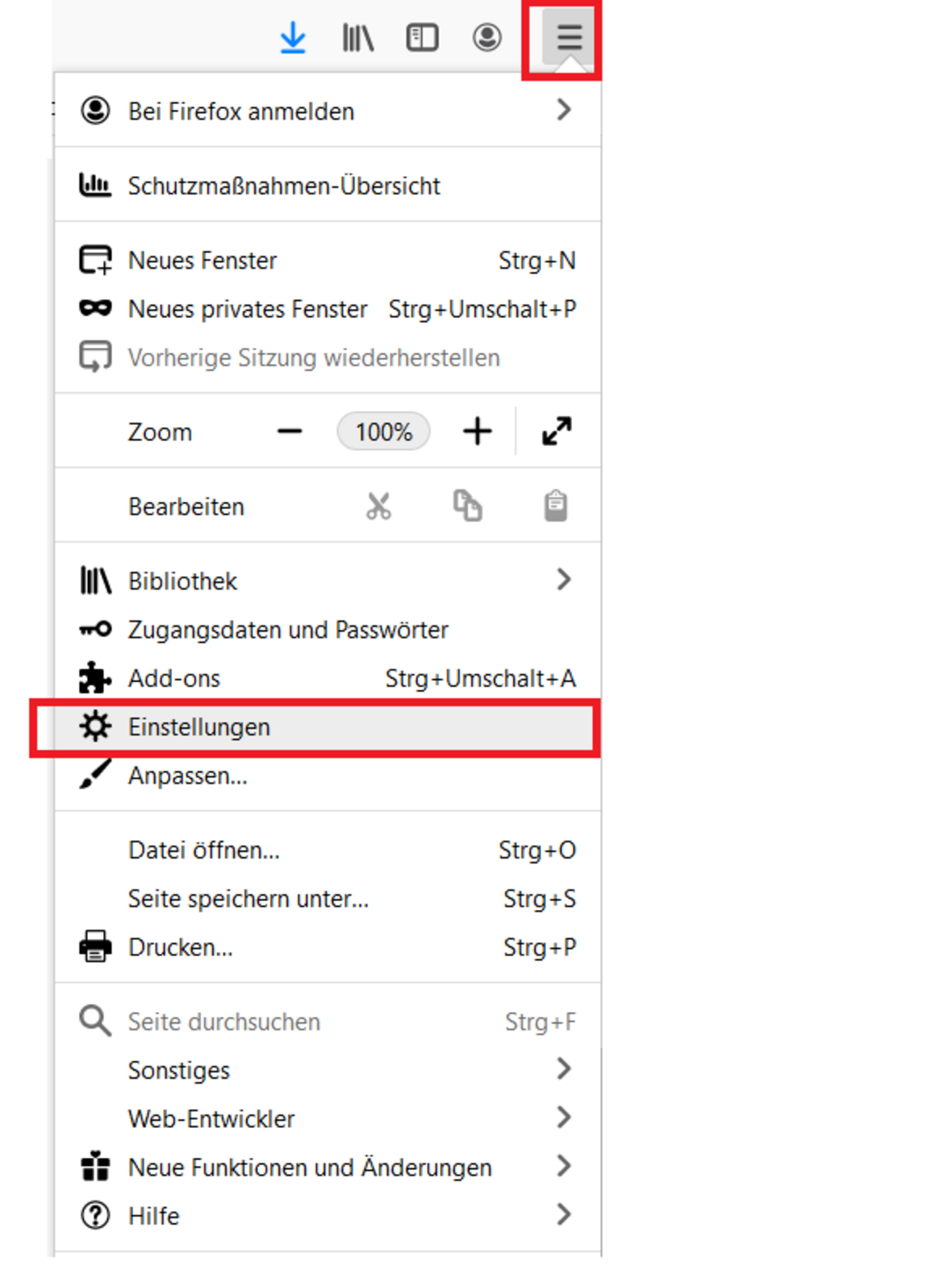
Google ChromeStart Mozilla Firefox and select “Open menu” - “Settings” in the top right corner (see Figure 1.1).
- 1.1
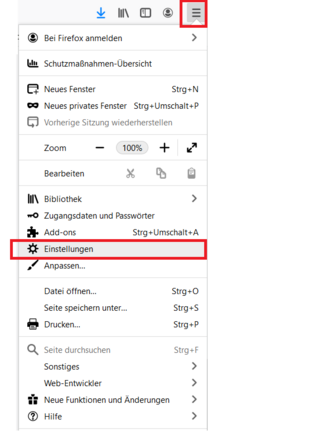 Open menu
and select settings
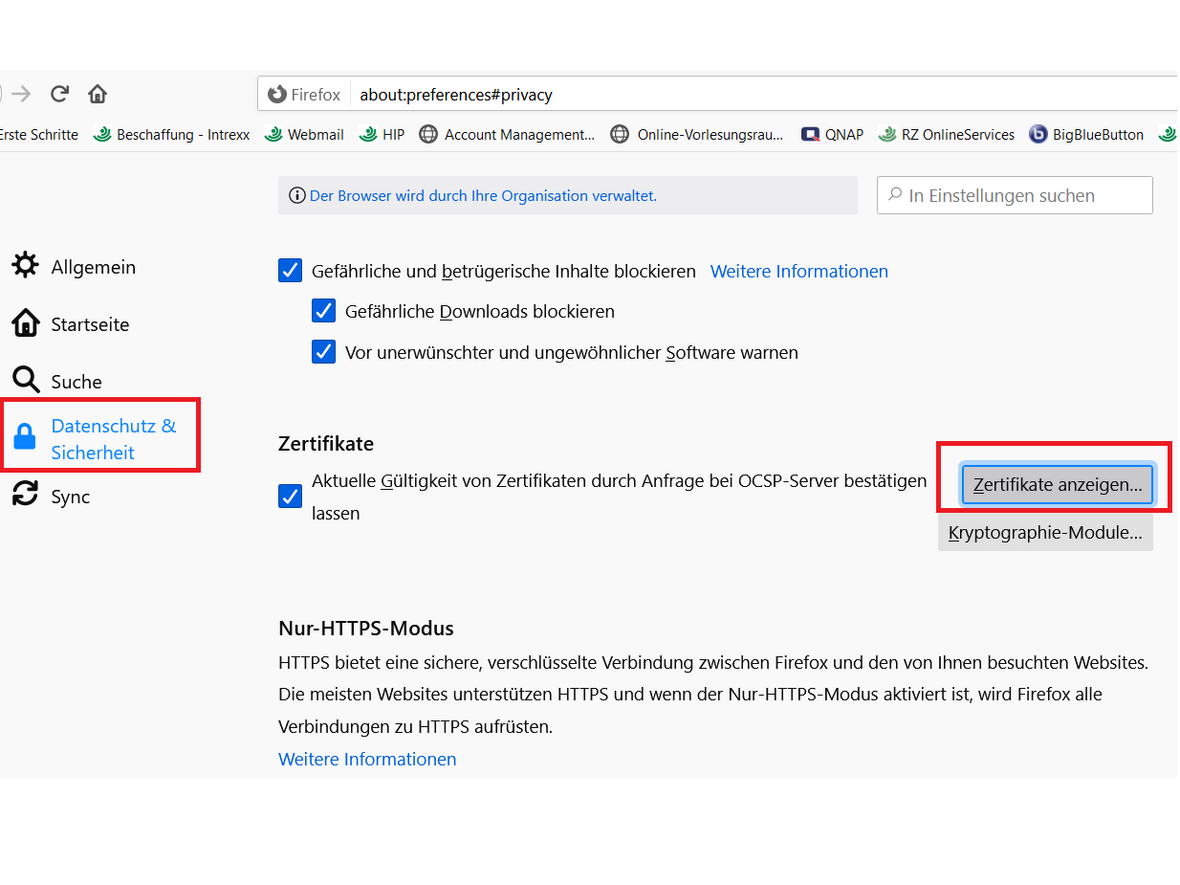
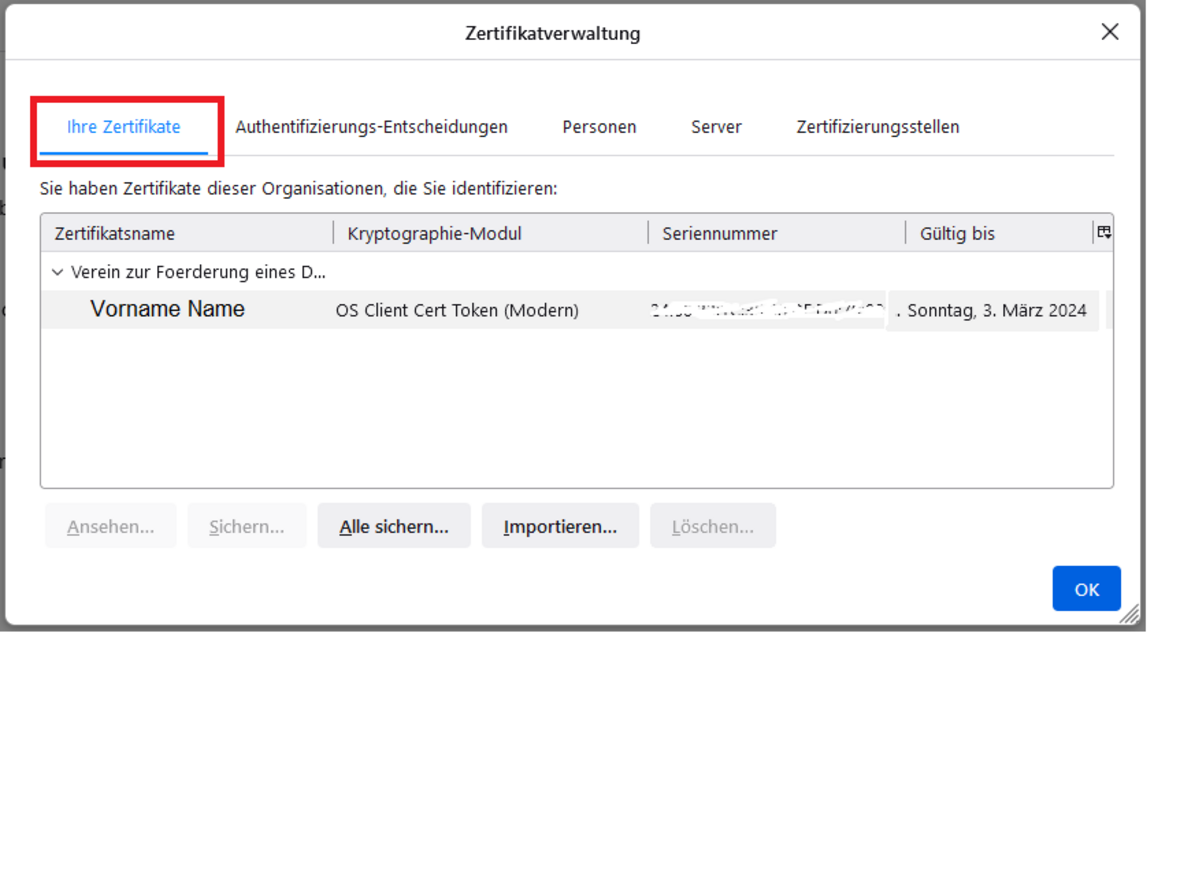
Now select “Privacy & Security” in the left-hand menu. Scroll down to the bottom and select ‘Certificates’ - “View Certificates” (see Figure 2.1).
- 2.1
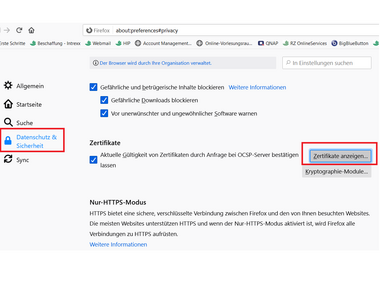 Select "Privacy & Security"
and "View Certificates"
Click on “Your certificates” in the top left corner.
- 3.1
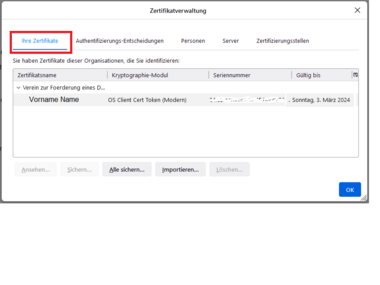 Your certificates
Your certificate will be displayed
Select your certificate and click on the “Delete...” button.
- 4.1
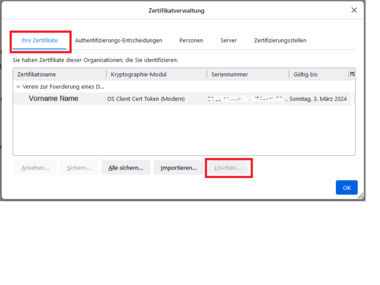 Deleting the certificate
Click on the "Delete" button
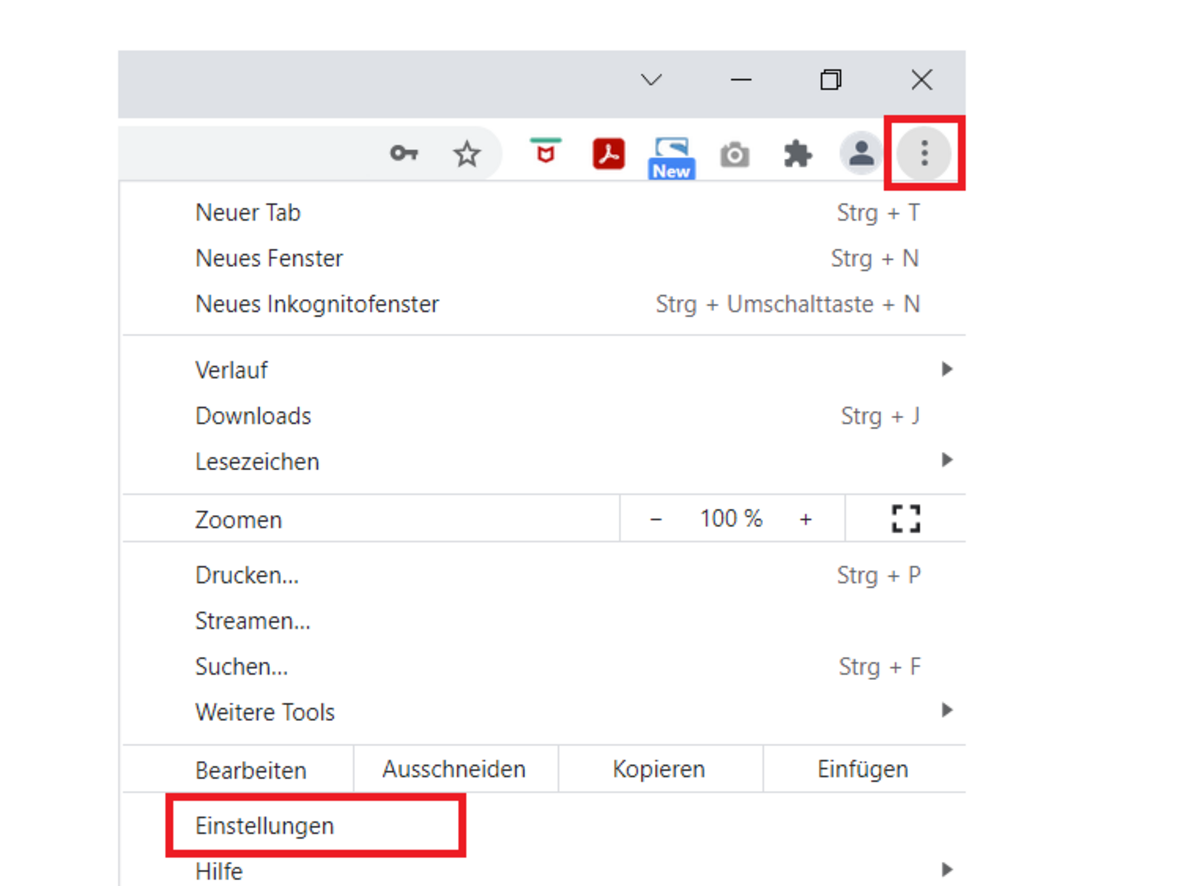
Start Google Chrome and select “Customize and control Google Chrome” - “Settings” in the top right corner (see Figure 1.1).
- 1.1
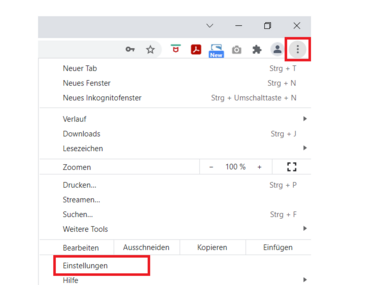 Open menu
and select settings
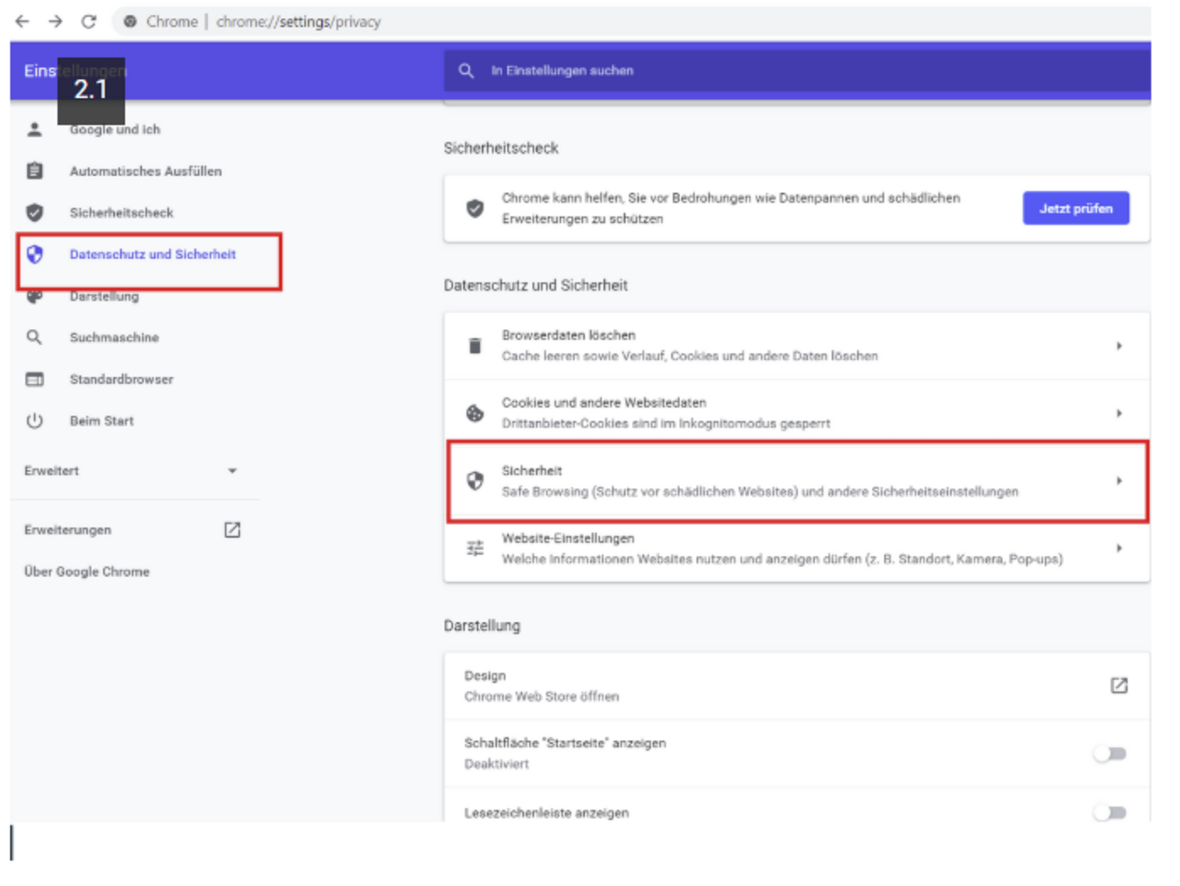
In the left-hand menu, select “Privacy & Security” and then click on “Security” in the right-hand pane (see Figure 2.2).
- 2.1
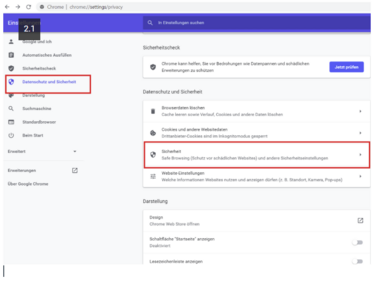 Select "Privacy & Security"
and the “Security” option.
Scroll down and select “Manage Certificates” (see Figure 3.1).
- 3.1
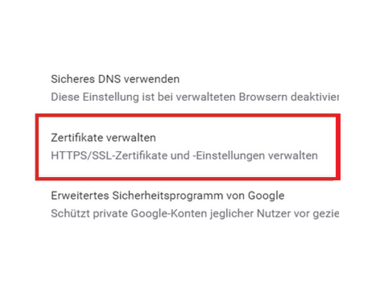
- 3.2
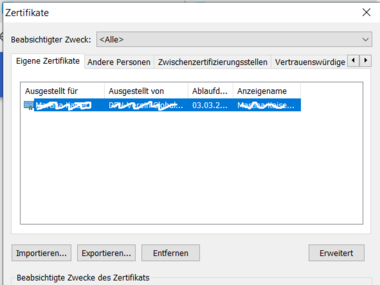
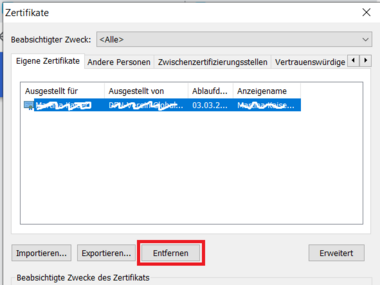
Select your certificate and click the “Remove” button.
- 4.1
Here you will find help cards on related topics:
Helpcard: Internal link opens in the same window:Requesting a user certificate for email and HIP (MYCERT 10-010).
Helpcard: Internal link opens in the same window:Installing a user certificate on Windows (MYCERT 10-020).
Helpcard: Internal link opens in the same window:Importing the user certificate into the browser (MYCERT 10-025).