Your library account
BIB 10-001
What you need to know
With your personal library account, you can easily manage your loans, due dates and holds on your own. Renew loans, place holds on items and keep track of everything at any time − all online and on your own. Ideal for anyone who wants to stay organised and work efficiently during their studies.
What you have to do
Select the External link opens in a new window:HFU Service Overview to access the digital services offered by the HFU libraries. Simply click the green “Start” button and log in with your HFU credentials.
Please note that, effective immediately, you must now authenticate yourself each time you log in to our services. To access all digital services (e-media, e-databases, e-journals) offered by the HFU Libraries, you will need your HFU account and must complete Internal link opens in the same window:two-factor authentication (Helpcard HFUACCOUNT 20-010) each time you log in.
If you wish to access internal services from outside the HFU campus network, you will also need Internal link opens in the same window:eduVPN (Helpcard VPN 10-010).
Once you have successfully logged in, you will have full access to all digital resources offered by the HFU libraries.
‘#Bibliothek’ refers to the digital resources offered by the HFU libraries.
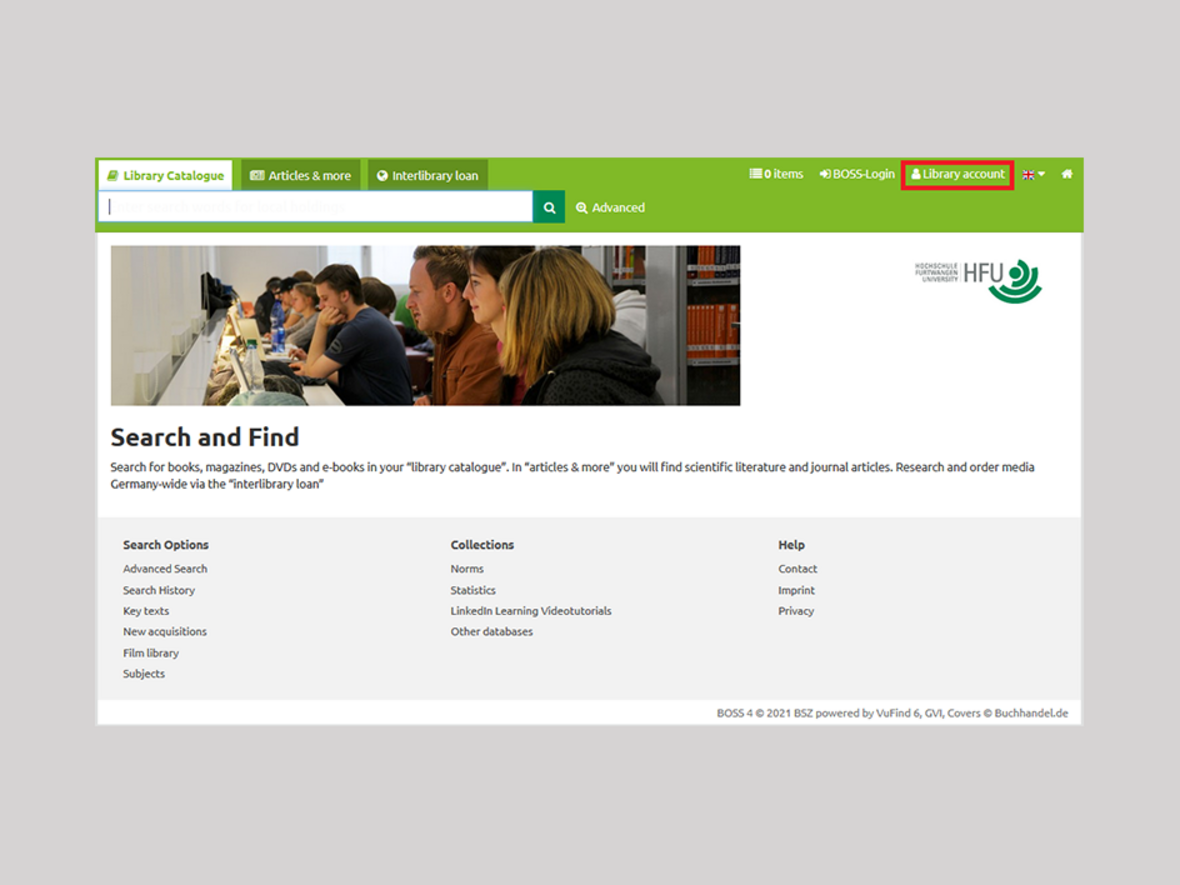
To view your library account, you can either use the External link opens in a new window:search portal BOSS or our library catalogue (OPAC).
- 3.1
Full display in BOSS
- 3.2
Full display in OPAC
Click the “Library Account” button.
A pop-up window will open.
- 4.1
Pop-up window: University membersPop-up window: University members
Log into your user account - either as a member of the university with your HFU card (Step 5) or with your guest card (Step 6).
To log into your account as a member of the university, select "yes".
All students, professors, lecturers and members of staff are members of the university.
Register with your HFU account.
- 6.1

Log in with your HFU account
If you have a guest card for the use of the HFU libraries, answer the question about membership of the university with "no".
Register with the number of your guest card and your date of birth (8 digits) as a password.
In your library account you can change your email address and your password, for example.
- 7.1
Login with a guest cardLogin with a guest card
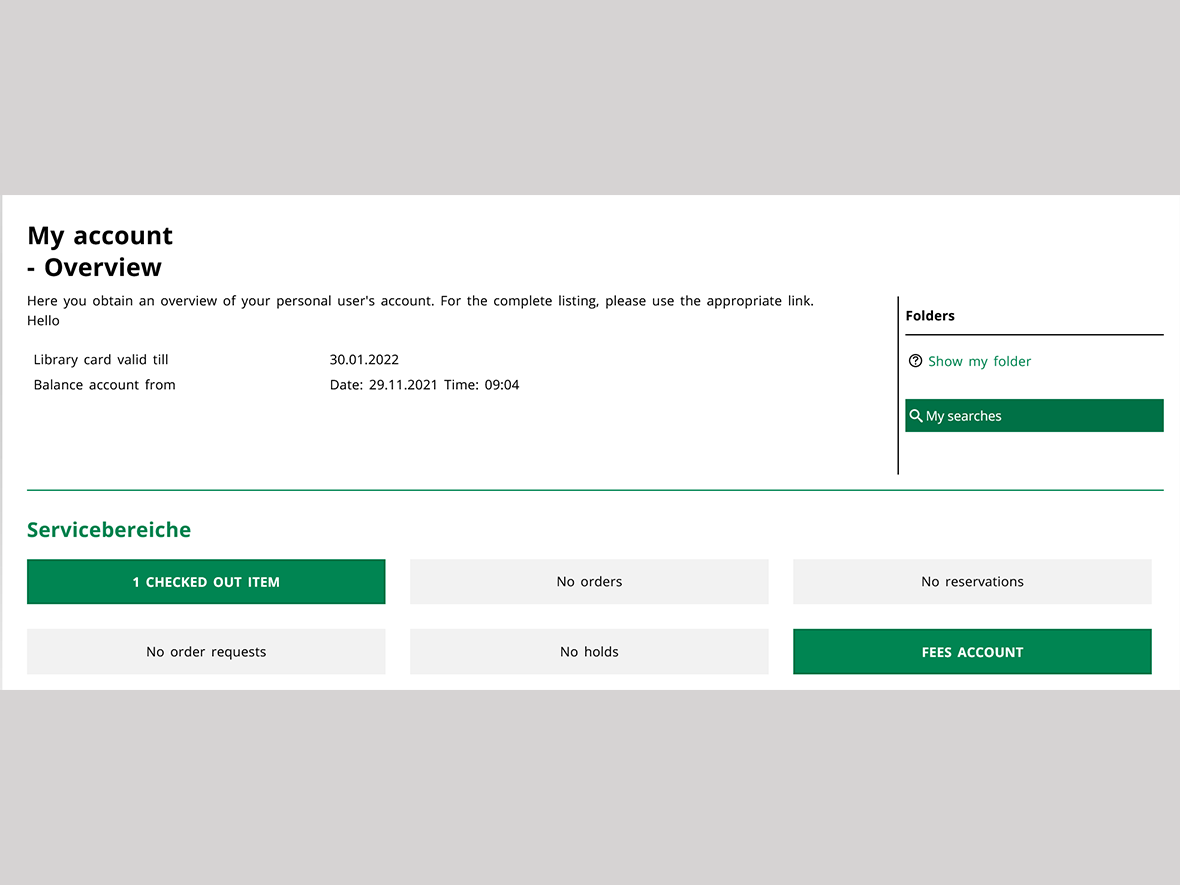
You now have access to your library account.
- 7.1

My account overview
By clicking on one of the buttons below, you can view your checked-out items or see an overview of your interlibrary loan requests, items ready for pickup, and your holds. You can also view any outstanding fees, such as late fees. Additionally, you can cancel orders and holds here.
To view your loans, click on the "Loan(s)" button.
You can renew books yourself up to a maximum of three times.
To do so, select the media you wish to renew and click on "Renew selected media" ("Markierte Medien verlängern") or select "Renew all" ("Alle verlängern").
Renewal of books is not possible until 7 days before the end of the borrowing period, if the medium has not already been requested.
Please make sure that the return date has actually been changed.
- 7.1

Renew your books
As a rule, interlibrary loans cannot be renewed independently.
Please contact the library staff for this.Please do not forget to sign out of your account before closing it.