Exchanging your student card
What you need to know
Students can now exchange their HFU Card (with photo, issued before 2023) or their temporary card (with “www.hfu.eu” printed on it) for the new HFU Card. You can initiate this process yourself through your personal card management portal. Below you will find instructions for the exchange process.
Important: Please note that during this process, you can only exchange one existing old card for a new one. If you have lost your card, please contact us in writing. (To do so, click the “Send a message” button at the bottom of this page.)
What you have to do
Access the card management system at https://hfu-card.intra.hs-furtwangen.de from the HFU network.
Read the information on the homepage, and then scroll down a little to the “Next step” button.
- 2.1
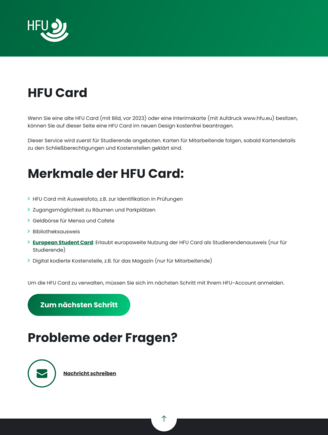
Click the “Next step” button and log in with your HFU account.
- 3.1
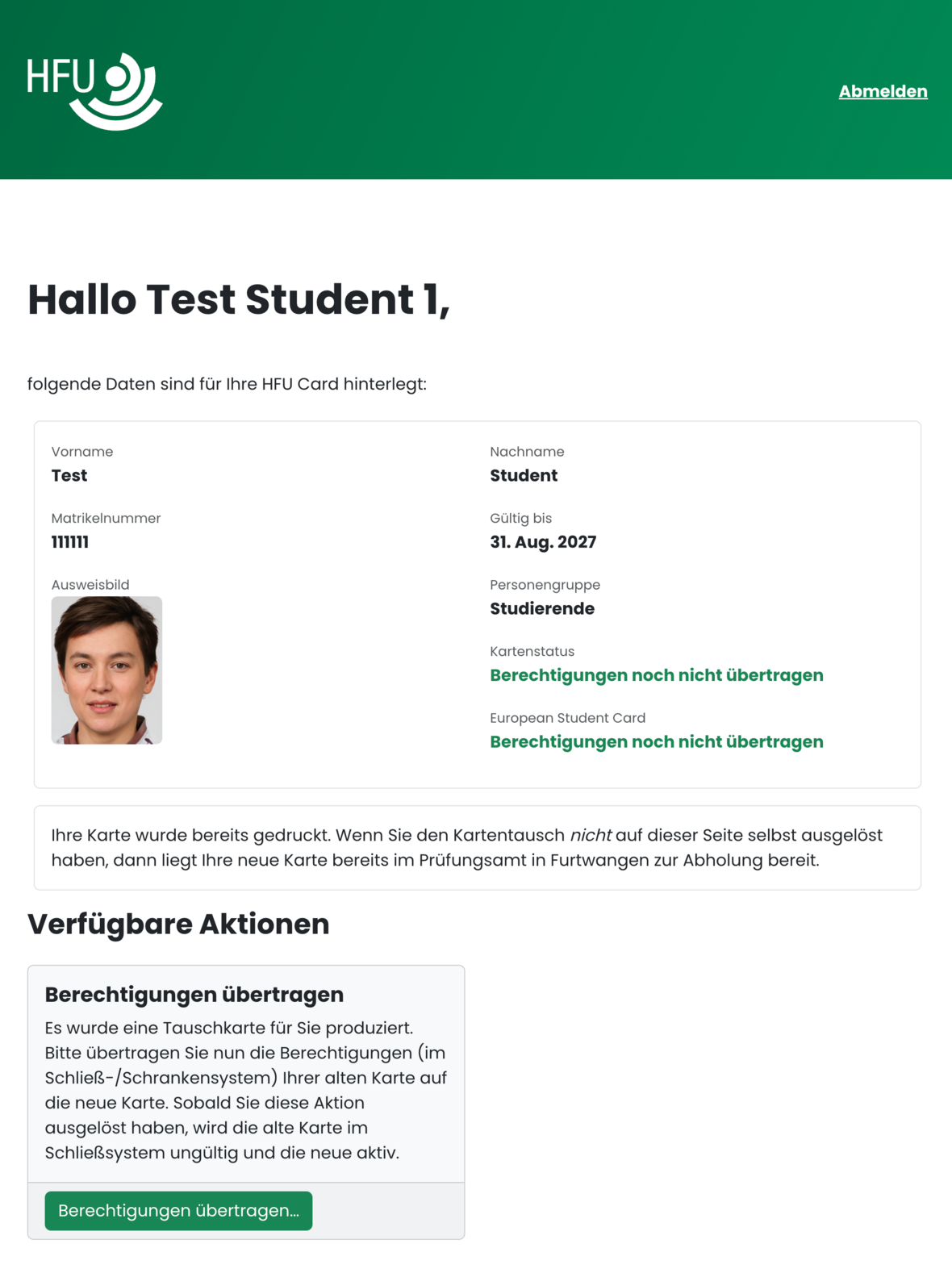
Please review your personal information in the overview displayed and, if necessary, update your ID photo via the External link opens in a new window:MIO portal.
- 4.1
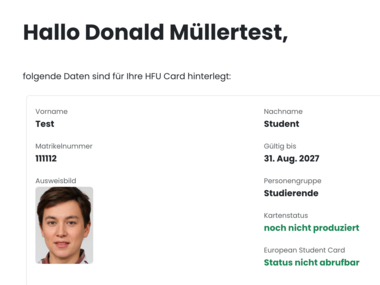
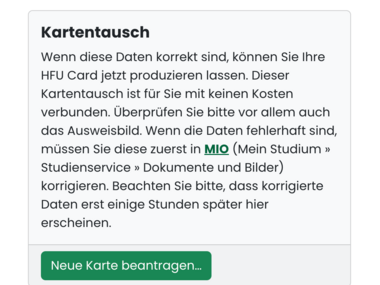
Under “Possible actions” below the data preview, click the “Apply for a new card...” button.
- 5.1
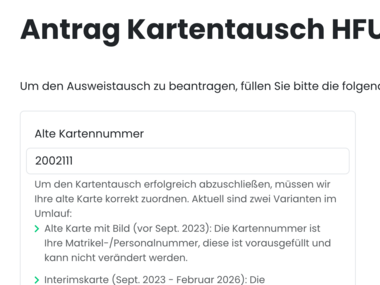
Enter the card number of the old card in the input field, and then click the “Generate card” button.
- 6.1
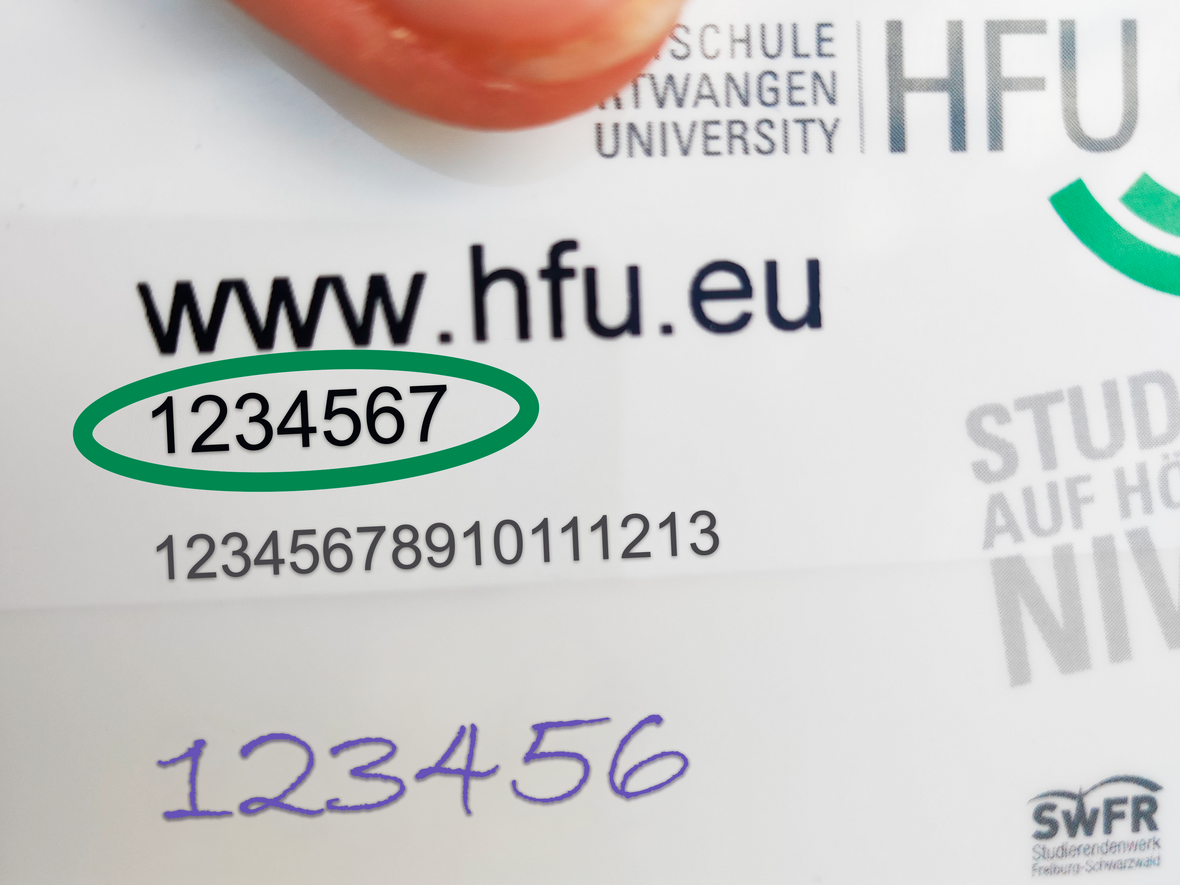
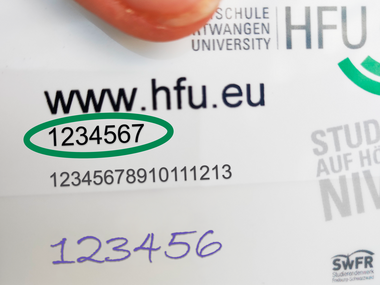 Example of a temporary card
You'll find the card number directly below the address www.hfu.eu.
- 6.2
Wait for the pickup notification, which will be sent to your HFU email address, and then pick up your new HFU Card.
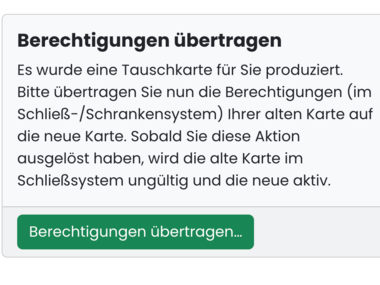
Click on the “Transfer permissions…” button under “Available actions” below the data preview.
- 8.1
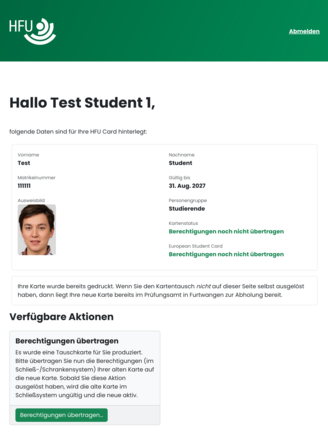 The new HFU Card has been printed
The existing permissions from the old card must now be transferred to the HFU Card before it can be used.
- 8.2
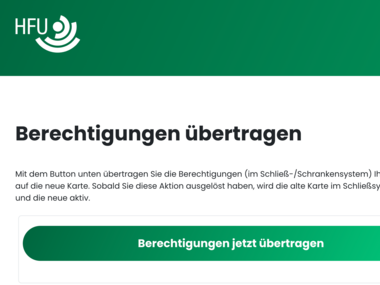
Confirm the security prompt by clicking the “Transfer permissions now” button.
- 9.1
- 9.2
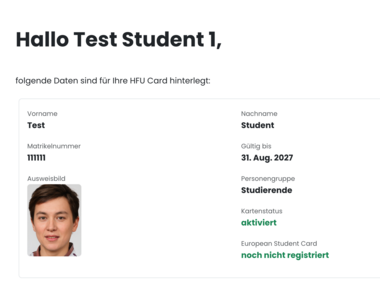
You have the option to register the HFU Card as a European Student Card. Please follow the instructions on the Internal link opens in the same window:Register your HFU Card as a European Student Card (ESC) helpcard, (CARD 10-010).